

How to create a Professional Website in WordPress: Step-by-step Guide for Beginners
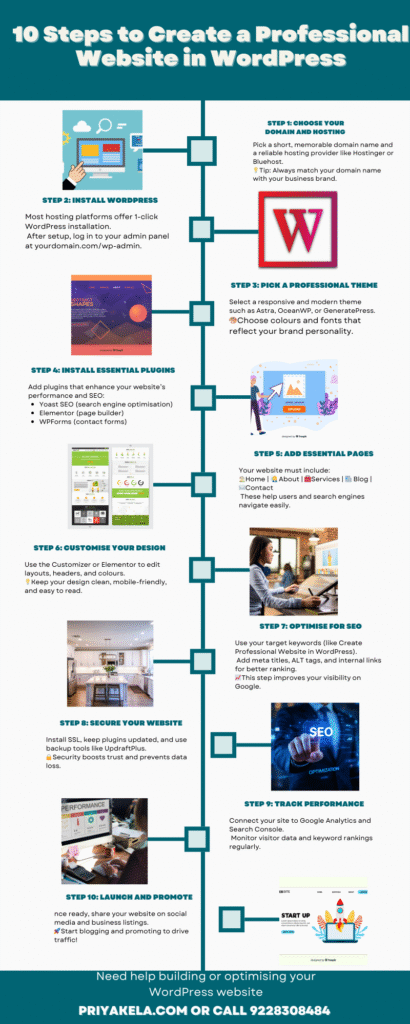
Having a professional website is no longer optional — it’s a necessity for every business. Whether you’re a small business owner, a digital marketer, or an SEO learner in India, understanding how to Create a Professional Website in WordPress can open the door to endless online opportunities.
In this complete guide by PK-Tech Digital Solutions, we’ll show you exactly how to build a WordPress website from scratch — even if you have no technical background.
🌐 What Is WordPress and Why Use It?
WordPress is the world’s most popular platform for creating websites. More than 40% of all websites on the internet are built using WordPress — including blogs, eCommerce stores, and company websites.
Why Choose WordPress?
- User-Friendly: You don’t need coding knowledge to design pages.
- Flexible and Customisable: Choose from thousands of free and premium themes.
- SEO-Friendly: Built-in features make it easier to rank on Google.
- Affordable: You only need hosting and a domain name to start.
- Scalable: It grows with your business.
At PK-Tech Digital Solutions, we use WordPress to help clients launch fast-loading, secure, and search-optimised websites that reflect their brand identity.
If you want professional help setting up your business site, explore our Website Development Services in Ahmedabad at PK-Tech Digital Solutions for a fully customised solution.
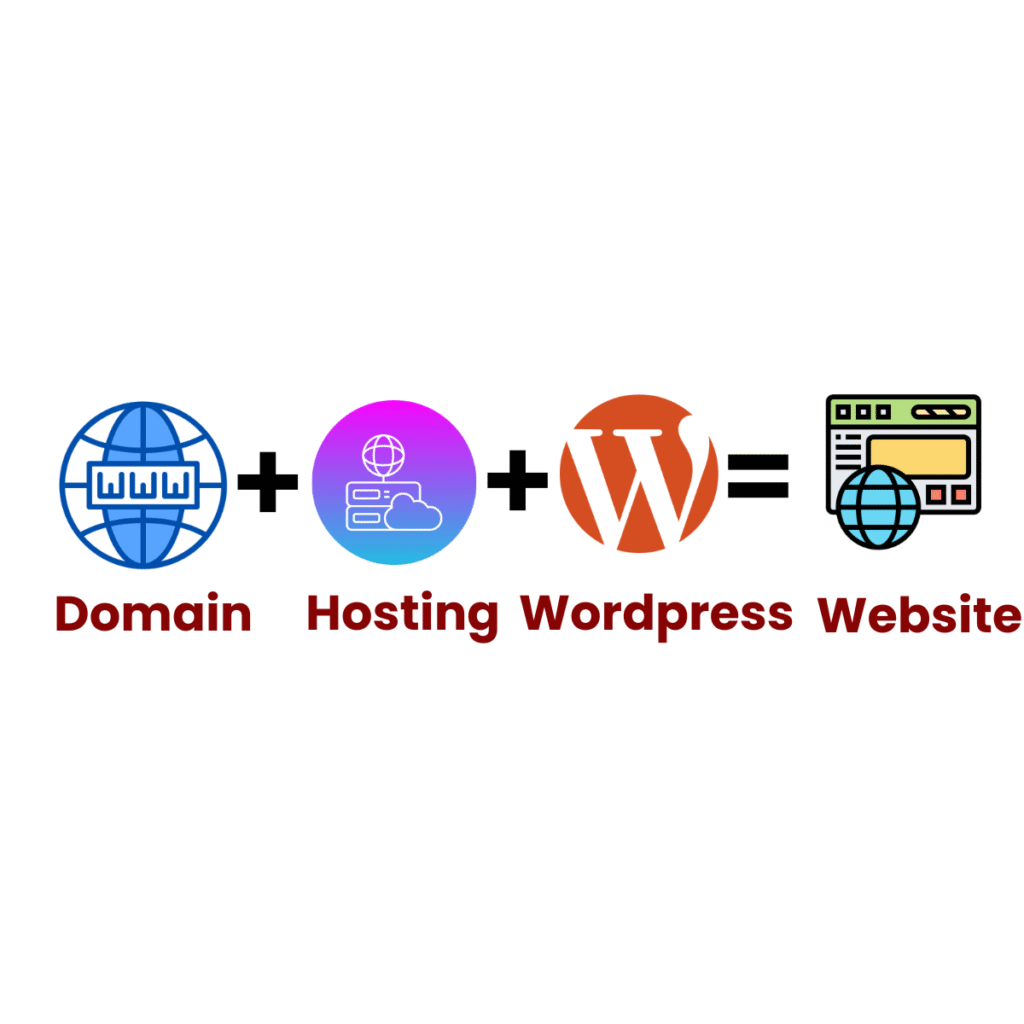
Design by freepik
Your domain name is your website’s address (e.g., www.pkdigisolutions.in). Choose a short, brandable, and easy-to-remember name related to your business.
✅ Tips for Choosing a Domain:
- Keep it short (under 15 characters).
- Avoid numbers and hyphens.
- Include your brand or keyword (e.g
- Next, you’ll need web hosting — the space where your website files are stored.
Popular hosting providers include:
- Hostinger (budget-friendly)
- Bluehost (official WordPress partner)
- SiteGround (fast and secure)
Once you purchase your domain and hosting, connect them together. Many hosting providers offer 1-click WordPress installation, making it simple for beginners.
🧱 Step 2: Install WordPress
Most hosting platforms have an easy installation wizard.
You can easily download and install the latest version of WordPress from the official WordPress.org website to start building your site.
- Click on WordPress Installer.
- Fill in your website name, username, and password.
- Hit Install.
Once installed, you can log in at:
👉 www.yourdomain.com/wp-admin
Now your website’s back-end is ready for customisation!
🎨 Step 3: Select a Professional Theme
A theme controls how your website looks. Choose a clean, modern, and responsive theme that aligns with your brand.
Recommended Free Themes:
- Astra – lightweight and SEO-friendly
- OceanWP – perfect for business websites
- GeneratePress – fast and customisable
If you want a premium look, you can go for Divi or Elementor Pro.
Case Study:
One of PK-Tech Digital Solutions’ clients — a local bakery — used the Astra theme with Elementor to create a mobile-friendly website. Within 30 days, their traffic doubled because the site loaded faster and looked more professional.
⚙️ Step 4: Install Essential Plugins

Plugins add extra features to your WordPress site. Here are some must-have plugins to Create a Professional Website in WordPress:
| Plugin Name | Purpose |
| Yoast SEO | Helps optimise your content for Google |
| Elementor | Drag-and-drop page builder |
| WPForms | Create contact forms easily |
| UpdraftPlus | Backup your site automatically |
| Site Kit by Google | Connect Google Analytics and Search Console |
| LiteSpeed Cache | Boost website speed |
At PK-Tech Digital Solutions, we carefully select plugins that keep your site light, secure, and SEO-ready.
🖋️ Step 5: Add Essential Pages
Every Professional WordPress website for beginners should include the following key pages:
Home Page
Your first impression — showcase your main services and a clear call to action.
About Us Page
Tell visitors who you are, what you do, and why they can trust you. This boosts E-E-A-T (Experience, Expertise, Authoritativeness, Trustworthiness).
Services Page
Describe your services clearly with short descriptions and visuals.
Blog Page
Publish helpful articles about your industry — like this guide on How to Create a Professional Website in WordPress.
Contact Page
Include your phone number, email, and a contact form. You can also add a Google Map for local SEO.
🧭 Step 6: Customise Your Website
Go to Appearance → Customise in your WordPress dashboard. Here, you can change colours, fonts, header styles, and layouts.
💡 Pro Tip:
Keep your design clean and consistent. Use your brand colours — for example, PK-Tech Digital Solutions uses modern blue and white tones that reflect trust and professionalism.
Real-life Example:
A Digital Marketing Agency in Ahmedabad designed their portfolio using Elementor’s drag-and-drop builder. By keeping a simple layout and adding testimonials, their leads increased by 45%.
🔍 Step 7: Optimise for SEO
How to create a website in WordPress is just the first step. To rank on Google, you must optimise it using SEO techniques.
PK-Tech Digital Solutions, a trusted SEO agency in Ahmedabad, helps businesses apply these techniques to achieve top Google rankings and organic traffic.
On-Page SEO Checklist
- Use your main keyword (How to Create Professional Website in WordPress) in the title, first paragraph, and subheadings.
- Add meta titles and descriptions to every page using Yoast SEO.
- Optimise images (compress and add ALT tags).
- Use internal links between your blog posts.
- Improve page speed using caching plugins.
Off-Page SEO Tips
- Build backlinks through guest blogging and directory listings.
- Share your website on social media platforms.
- Ask satisfied clients to leave Google reviews.
If you need expert help, connect with PK Digi Solutions, a trusted Digital Marketing Agency in Ahmedabad and Web Development agency in Ahmedabad. Our team specialises in helping small business owners and marketers build, design, and optimise high-performing WordPress websites that rank on Google and convert visitors into customers.
🧠 Step 8: Secure and Maintain Your Website
Website security is crucial for trust and Google rankings.
Steps to Secure Your Site:
- Install an SSL certificate (HTTPS).
- Keep WordPress, plugins, and themes updated.
- Use security plugins like Wordfence or Sucuri.
- Backup your website regularly with UpdraftPlus.
Pro Tip: PK Digi Solutions offers maintenance packages to ensure your website stays fast, safe, and SEO-optimised.
📈 Step 9: Track Performance
Use Google Analytics and Google Search Console to track your visitors, top pages, and keyword performance.
Example:
One of our clients, a small interior design firm, started tracking website visits after SEO optimisation. Within three months, their organic traffic grew by 120%, and inquiries tripled.
This is the power of combining WordPress and SEO effectively.
💼 Step 10: Promote Your Website
Once your website is live, promote it using:
- Social Media: Share your website link on Instagram, Facebook, and LinkedIn.
- Email Marketing: Send newsletters to potential customers.
- Google Business Profile: Optimise your local listing for better reach.
PK- Tech Digital Solutions uses a mix of SEO and digital marketing strategies to help businesses increase visibility and leads through their new websites.
🌟 Benefits of Creating a Professional WordPress website for beginners in WordPress
- Builds Credibility: A professional website increases trust among customers.
- Cost-Effective: You can manage it easily without a web developer.
- Customisable: Choose from endless themes and plugins.
- SEO Advantage: WordPress is naturally optimised for search engines.
- Scalability: Add new features anytime as your business grows.
These benefits make WordPress the best choice for small business owners in India who want to establish a strong online presence.
✅ Common Mistakes to Avoid
- Ignoring mobile optimisation
- Using too many plugins (slows down the site)
- Skipping regular backups
- Not updating themes or plugins
- Forgetting on-page SEO basics
Avoiding these errors ensures your website stays professional, fast, and user-friendly.
🏁 Conclusion: Build Your Dream Website Today
Creating a Professional Website in WordPress may seem complicated at first, but with the right guidance and tools, anyone can do it.
Follow the steps above — from domain setup to SEO — and your website will be ready to attract visitors and grow your brand.
🚀How to create a website in WordPress? Creating a website with WordPress is easier than you think. With the right tools and strategy, you can build a strong online presence that represents your business and attracts customers.
If you’re ready to grow your business online, PK- Tech – Digital Solutions is here to help with expert Web Development Services in Ahmedabad and Digital Marketing Services in Ahmedabad.
highly useful